Power BI and GitHub: Better Together for Higher Ed Analytics
Modern Version Control for Analytics Teams

TL;DR
Power BI analytics has become too complex for informal documentation and basic file versioning. The PBIP format exposes report logic as text, making real version control possible. GitHub provides a clear history of changes, decisions, and ownership, even for solo analysts. Because it is text and Markdown based, it also integrates cleanly with modern AI tools. Together, Power BI and GitHub bring software grade discipline to higher ed analytics without turning analysts into software engineers.

Leveraging GitHub with Analytics Reporting
Overview
As discussed in this post, university analytics teams can learn a great deal from software developers. Software teams routinely manage hundreds or thousands of lines of logic while maintaining documentation, version control, and a clear record of decisions.
The core question is straightforward. How do large groups of people work on the same system without losing track of changes, intent, and ownership?
GitHub is the industry standard answer. While many higher ed analysts do not consider themselves software developers, the overlap between analytics work and software development is substantial.
Version Control Without GitHub
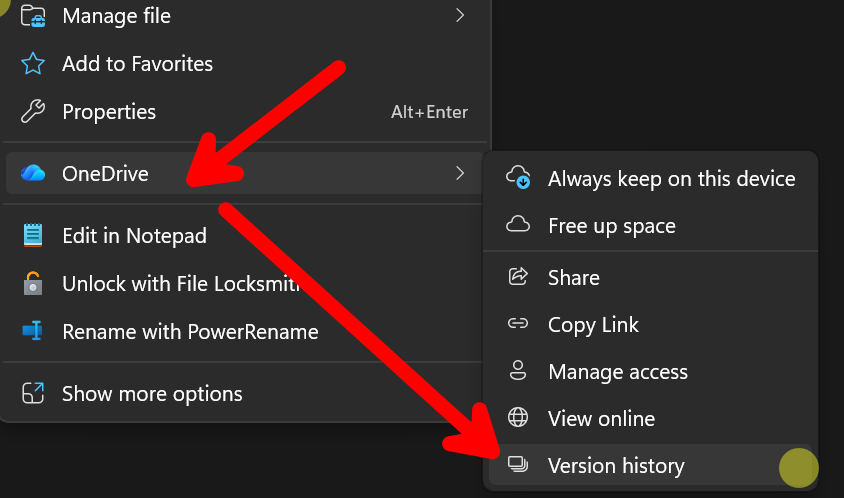
Most analytics teams already use a form of version control without realizing it. Every time a file is saved to OneDrive or Google Drive, a new version is created. This allows basic rollback and recovery.
That approach works at the file level, but it breaks down when you need to understand how logic changed over time or why a decision was made.
Power BI Project Format (PBIP)
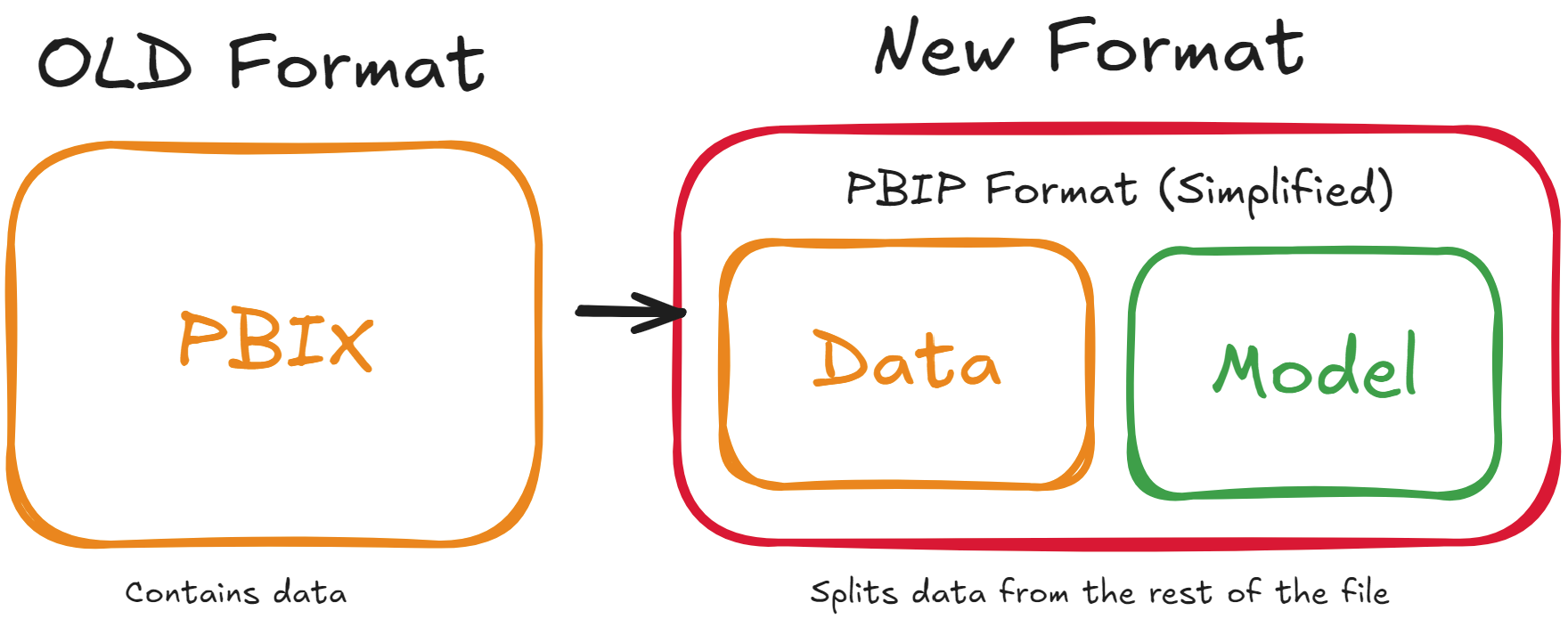
Historically, Power BI stored everything in a single PBIX file. Data, transformations, the model, calculations, and metadata were bundled together. This made meaningful version control nearly impossible.
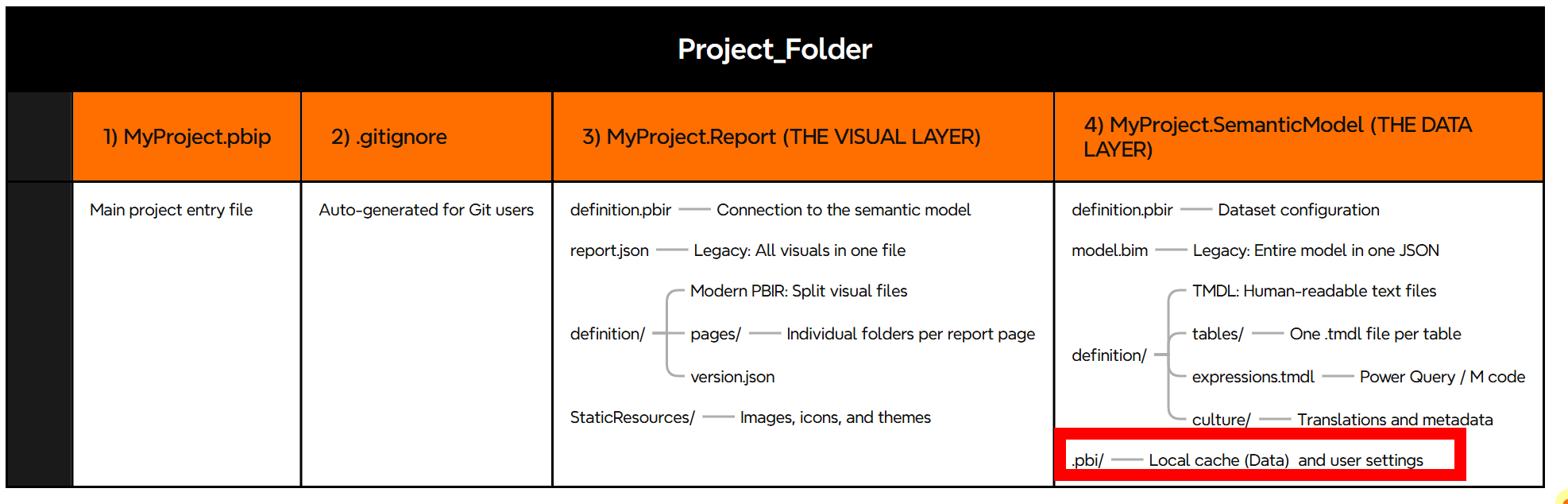
The PBIP format changes this by breaking the report into a structured folder.
There are four main components. The data itself is stored in the fourth folder under .pbi, which acts as a local cache. GitHub does not upload this data. Only the report structure and logic are tracked.
All elements of the PBIP format are human readable text. This makes them suitable for inspection and version control. This approach is consistent with modern Microsoft file formats. If you have ever renamed a .docx file to .zip, you have seen the same underlying structure.
GitHub Integration
The simplest way to get started is GitHub Desktop. While command line tools are available, GitHub Desktop lowers the barrier significantly.
You will need a GitHub account. Many institutions already have higher education agreements that support single sign on. If not, a personal account works. No data is stored in GitHub, only the report structure.
Even for solo analysts, this setup is valuable. GitHub provides history, accountability, and documentation by default.
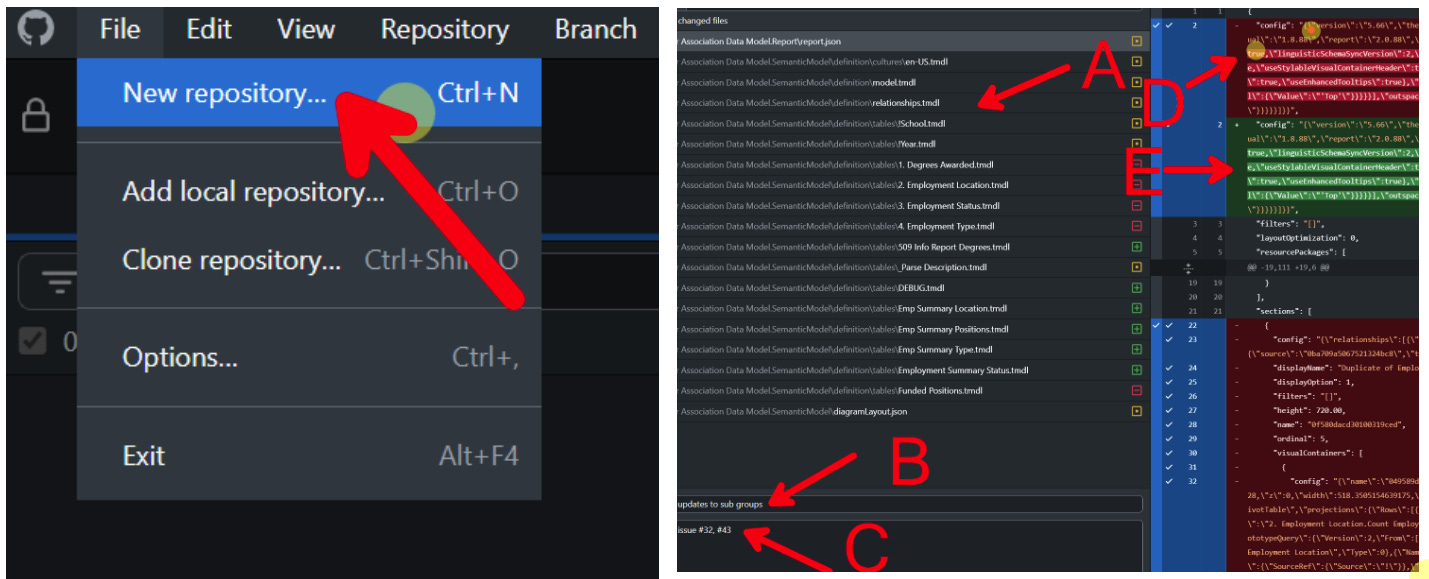
Instructions for connecting a local PBIP folder to GitHub are available here:
Adding a repository from your local computer to GitHub Desktop
GitHub tracks text changes over time. To the user, it looks like a normal folder. Behind the scenes, GitHub records:
• Which files changed
• What lines were added, modified, or removed
• When the change occurred
• Who made the change
Each sync, or commit, includes a short description such as “Updated ROI calculations.” Commits can also be linked to issues. When an issue is referenced, it is automatically closed, creating a direct connection between tasks and changes.
Saving Power BI Reports as PBIP
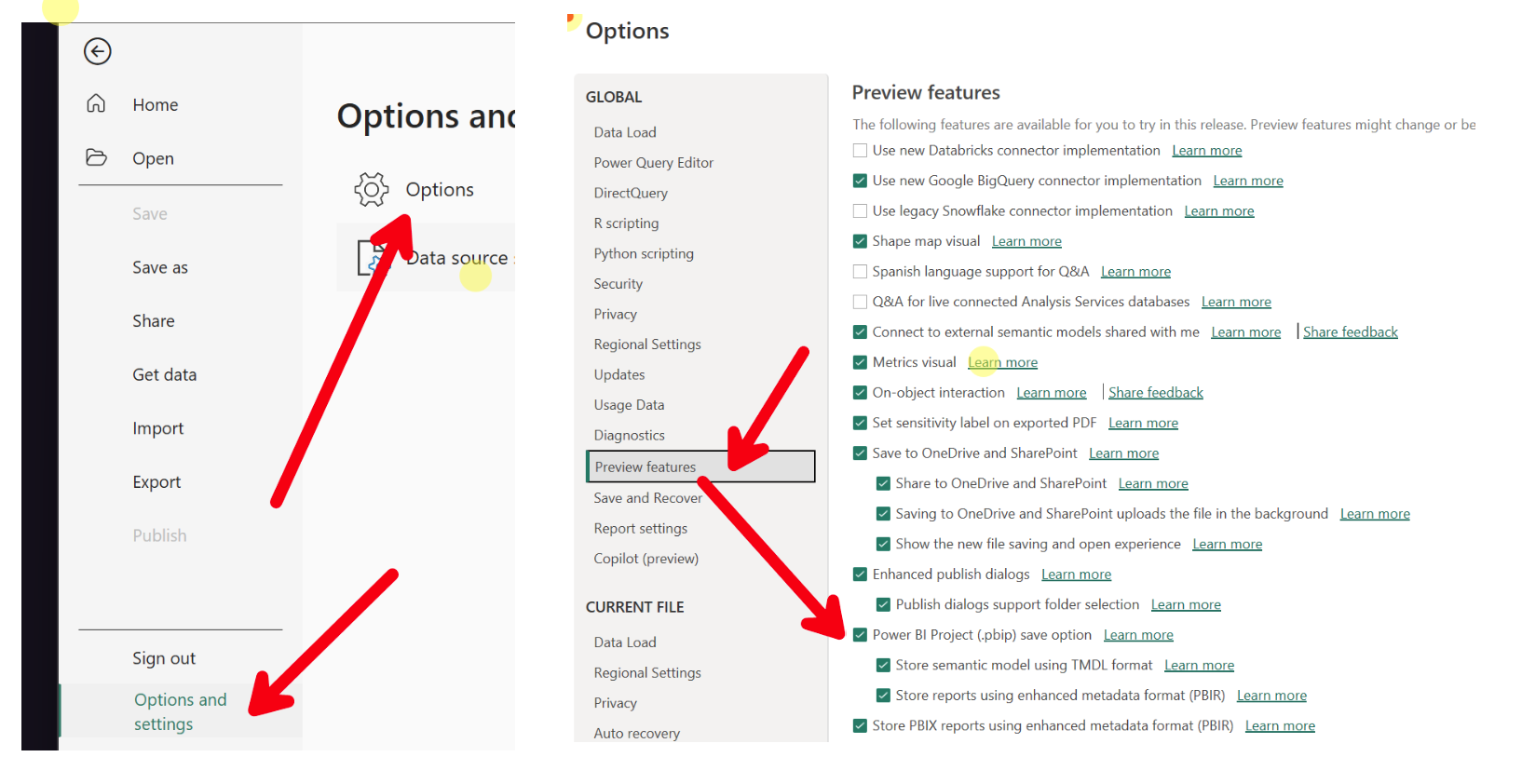
Saving reports in PBIP format must be enabled in Power BI preview settings. Publishing to workspaces works the same way as before.
When first enabling this feature, creating backups is strongly recommended, especially if you are using deployment pipelines.
Conclusion
Higher ed analytics has outgrown informal documentation and file based versioning. As complexity increases, the cost of lost context rises quickly.
GitHub addresses this directly by providing a clear, auditable history of changes and decisions. With PBIP, analytics logic is no longer trapped in opaque files. It becomes visible, reviewable, and manageable.
This workflow is not only for large teams. Even if you are a team of one, GitHub becomes your documentation, change log, and long term memory. It reduces rework today and lowers the cost of collaboration tomorrow.
Because GitHub is Markdown and text based, it also integrates naturally with modern AI tools that operate on structure and context. As analytics and automation continue to converge, this is a meaningful advantage.
This is not about turning analysts into software engineers. It is about using the right infrastructure for complex analytical work.