Building a Task System with Structured Markdown Files
Designing Task Files That Support Automation and AI Collaboration

Building a Task System with Structured Markdown Files
Designing Task Files That Support Automation and AI Collaboration
TL;DR: Most task tools store your work inside proprietary databases. Markdown stores tasks as structured text files you control. Using simple checkbox syntax and headings, a single Markdown file can function as a Kanban board, render into multiple views, and remain portable across tools.
When tasks exist as structured files, AI can read, summarize, and update them directly without fragile integrations or export loops.
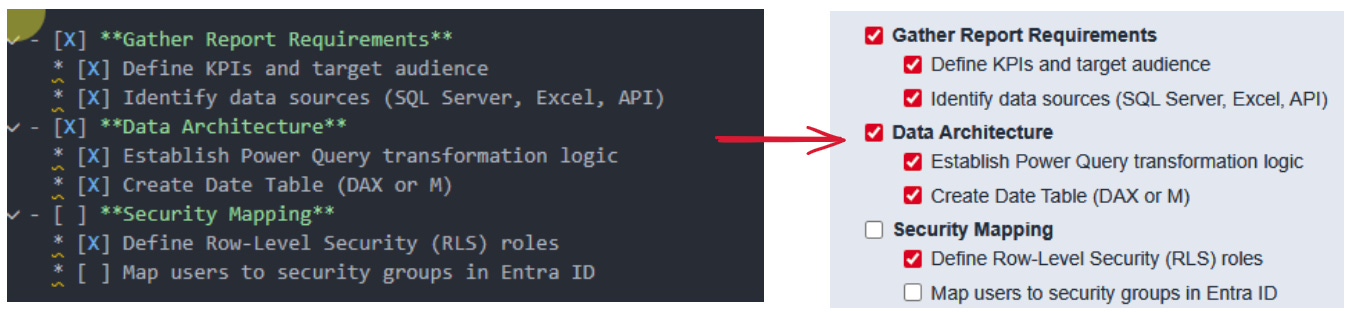
Overview
Most task management software locks your work inside proprietary databases.
You do not own the structure. You only interact with it.
Markdown offers a different approach. Tasks become structured text files that you control, version, move, and render into interfaces when needed.
Files first. Interfaces second.
This is not a productivity tweak. It is an architectural decision.
This post covers:
How tasks are represented in Markdown
How that structure maps to Kanban workflows
Why structured text becomes strategically important when layered with AI
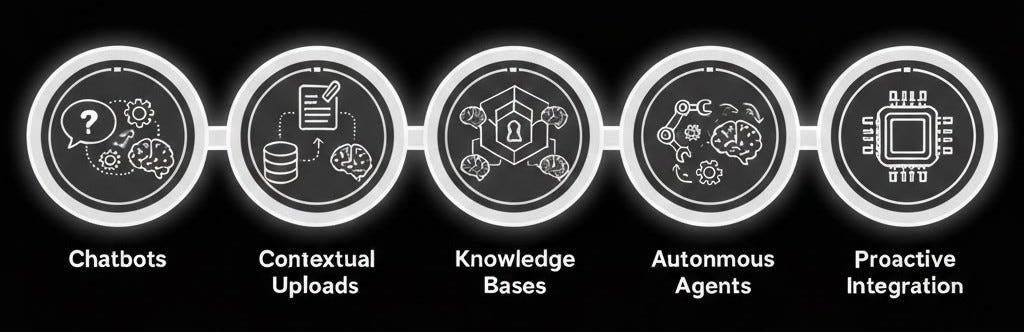
This illustration shows an AI maturity model and the shift from standalone chat tools to systems operating directly on structured files, learn more here https://researchanalytics.substack.com/p/ai-feels-useless-because-it-cant
Tasks as a Text-Based Data Structure
A Markdown task is a predictable structural pattern.
Checkbox Syntax
- [ ] Open task
- [x] Completed task
Brackets define state.
Text defines the payload.
Subtasks are created through indentation:
- [ ] Parent task
    - [ ] Child task
Example:
This provides a minimal state model:
Boolean completion
Hierarchical nesting
Ordered grouping
No database required.
Using Headings as Workflow States
Markdown headings introduce hierarchy.
# Project Name
## Pending
## Doing
## Done
Example:
Headings act as containers. In practice, this functions as a lightweight Kanban model:
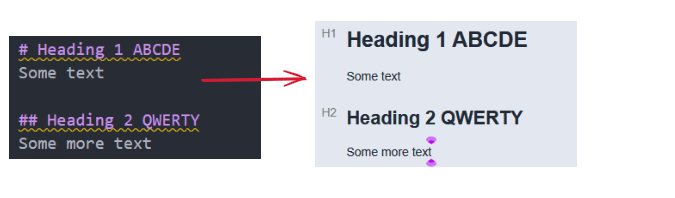
Each heading represents a column
Tasks inherit the state of the heading above them
Moving a task between headings changes its status
The structure is both human-readable and machine-parseable.
Rendering: Interface as a Layer
When opened in a Markdown-aware tool, the file can render as a visual board.
Example using Obsidian with a Kanban plugin:
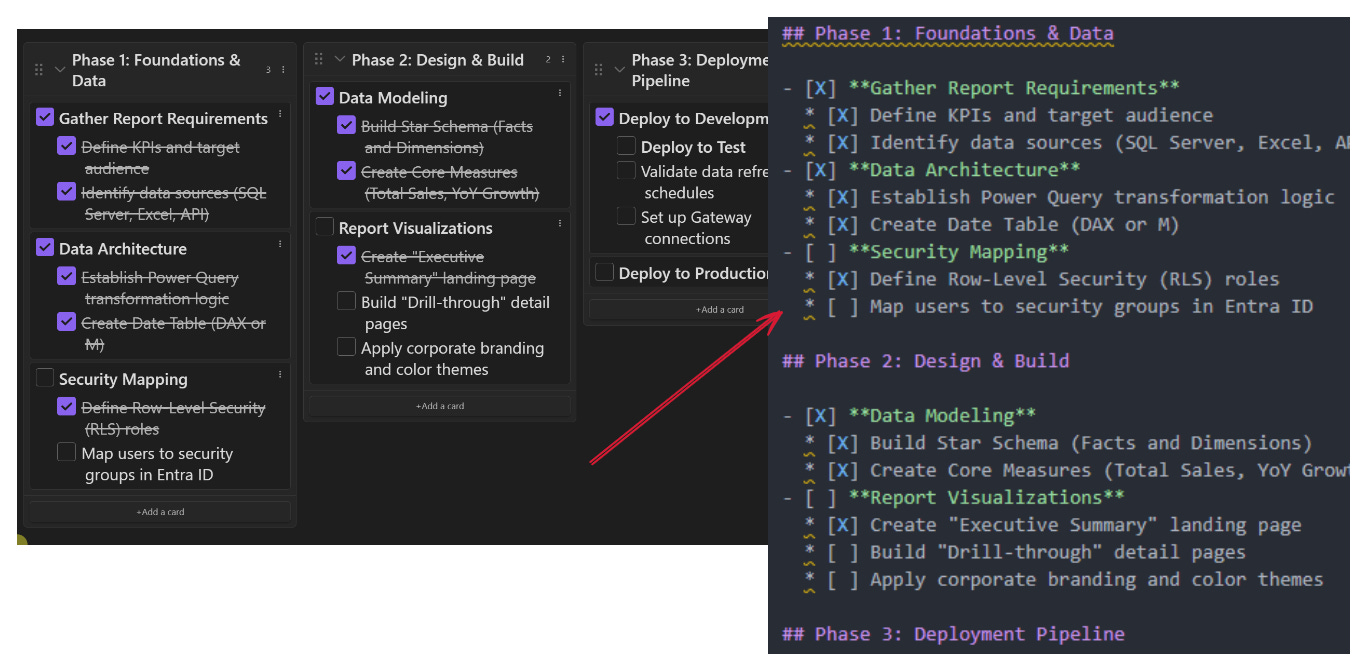
Headings become columns. Tasks become draggable cards.
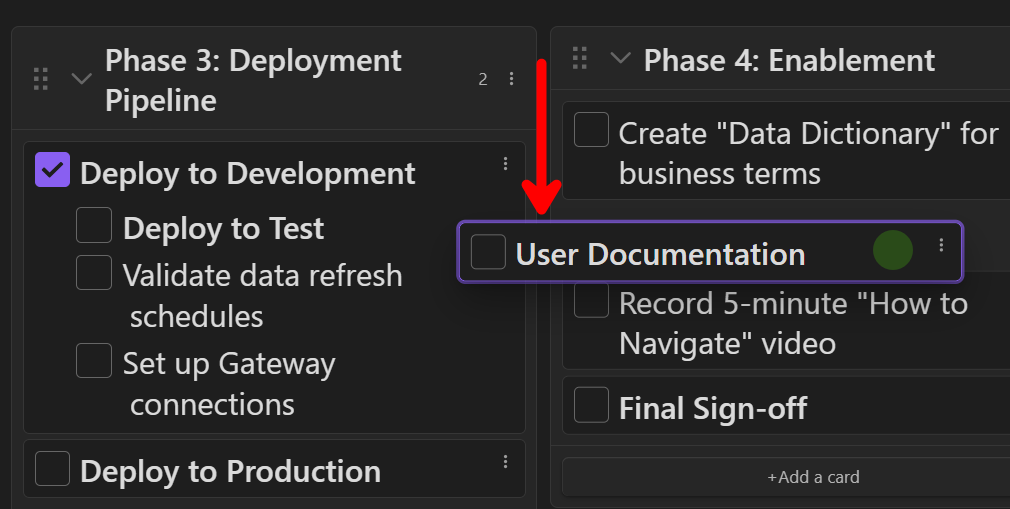
Drag-and-drop updates the underlying Markdown file. The source remains plain text.
The same file can render as:
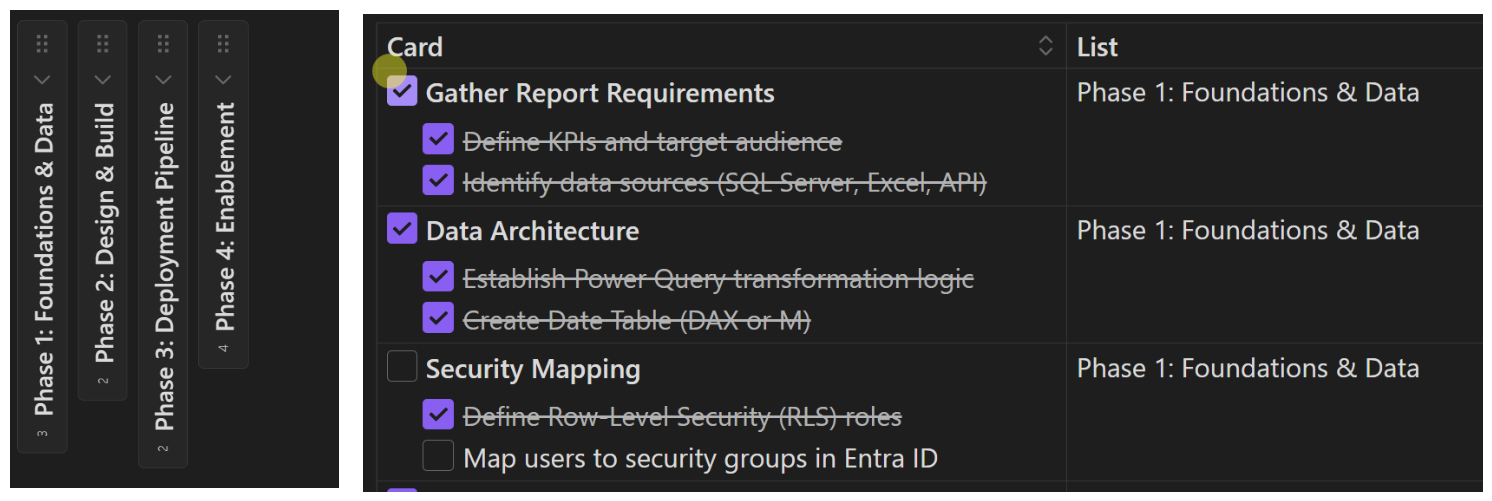
Outline view
Table view
Kanban view
The interface changes. The file remains stable.
Separating data from interface is the core design principle.
The Architectural Advantage of Files
Storing tasks as Markdown provides:
Tool independence
Optional Git-based version control
Cross-project searchability
Long-term durability
Easier migration
No AI friction
More importantly, it creates structured surface area that AI systems can operate on directly.
A proprietary task database requires API integration.
A Markdown task file is immediately readable as text within your authorized environment.

Knowledge workers dream or nightmare? When AI has visibility into your workflows, it becomes operational, not conversational.
Layering AI on Top of Structured Task Files
With structured text, AI interaction becomes straightforward.
An AI system can:
Parse headings as states
Count incomplete tasks
Detect overdue items if timestamps exist
Summarize by section
Generate reports across multiple files
For example: “Scan all project task files. List open tasks grouped by project. Identify items moved to Done this week. Generate an executive summary.”
If tasks live in separate app silos, this requires multiple integrations, if tasks live in structured files, it is direct text processing.
This model can be described in four layers:
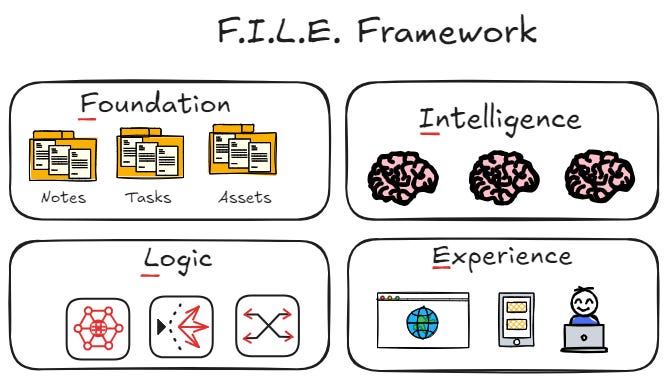
Foundation: Structured Markdown task files
Intelligence: AI systems with read and write access
Logic: Naming conventions and folder standards
Experience: Rendering tools and plugins
Consistency is critical. Automation depends on predictable structure.
A detailed description of this framework is available here:
https://researchanalytics.substack.com/i/187284329/the-file-framework
The AI Parallel: Where We Actually Are
The current state of AI adoption resembles early computing.
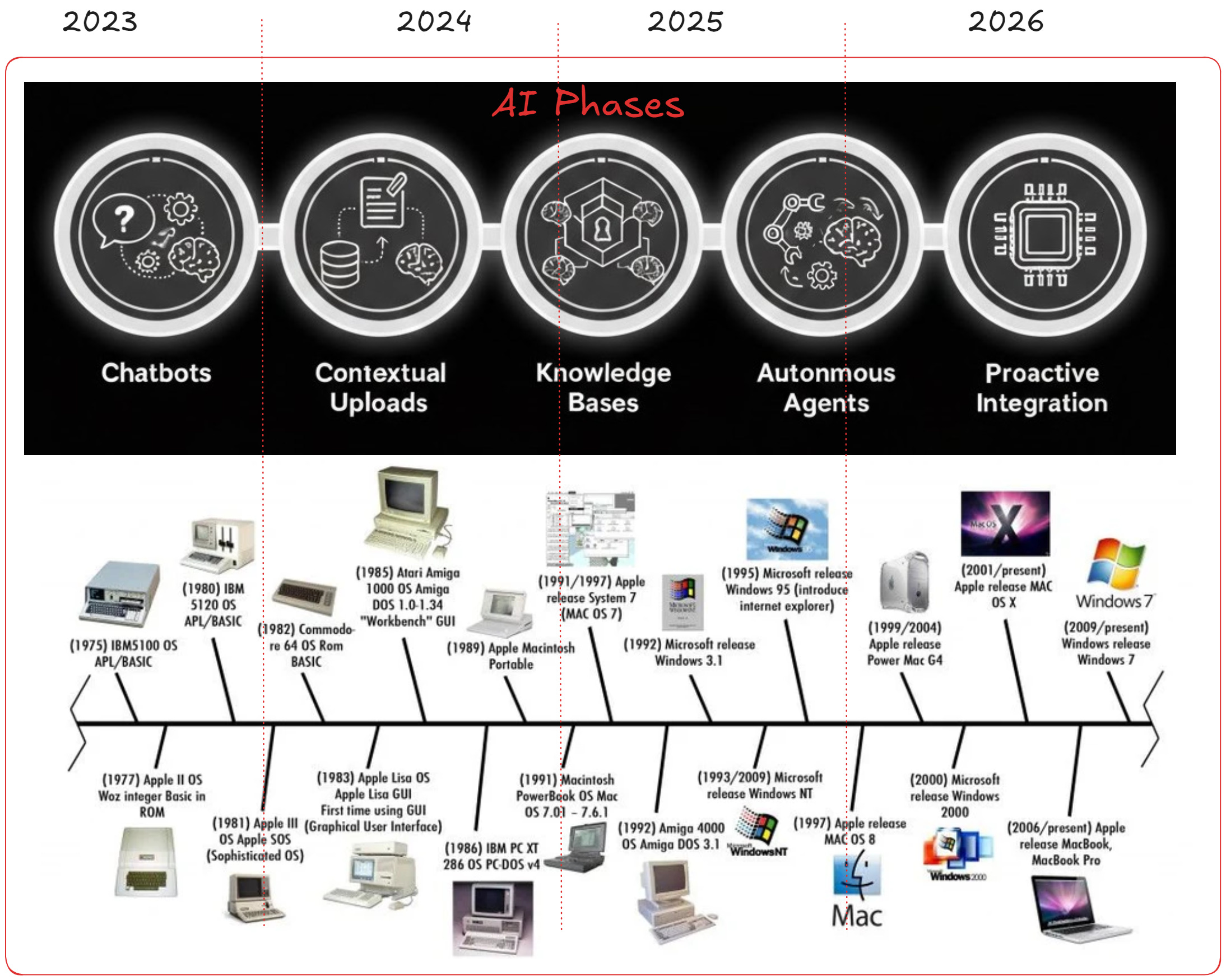
Early computers were powerful but isolated. Scale came from standardized operating systems and file systems.
Today, many professionals use AI daily but only through chat interfaces. That is comparable to early computing before standardized file layers.
The breakthrough in computing was structured, portable foundations.
The same principle applies here, if tasks remain inside proprietary systems, AI remains peripheral. If tasks exist as structured files, AI becomes operational.
Getting Started
Create a
.mdfile (or even just a .txt file) for a project.Define workflow states as second-level headings.
Add tasks using checkbox syntax.
Store the file in a shared or version-controlled repository.
Use a Markdown-aware editor to render views.
Introduce AI summarization once structure is stable.
Start small. Enforce consistency. Avoid premature complexity.
You can drag and drop a Markdown file directly into your AI system and begin querying it.
This also works with Word documents or exports from other tools. Each conversion step adds friction.
The objective is direct access to source files.
No copy-paste loops. No intermediary formats. No proprietary lock-in.
Structured text becomes the system of record.
Conclusion: Files First
Markdown does not replace enterprise tools overnight. It establishes a portable layer beneath them.
In early computing, progress came from standardized file systems and durable abstractions that separated data from interface.
AI is at a similar stage. Many professionals use AI. Few have redesigned workflows so AI can operate directly on core artifacts.
Build the foundation first.
If tasks live inside proprietary databases, their is too much friction between you and AI. If tasks live as structured files, AI becomes an operational layer.
The shift is not about better prompts, it is about better foundations.
Markdown Task
Here are the task used to make the images in this blog post, copy/paste them into the markdown editor of your choice.
## Phase 1: Foundations & Data
- [x] **Gather Report Requirements**
	* [x] Define KPIs and target audience
	* [x] Identify data sources (SQL Server, Excel, API)
- [x] **Data Architecture**
	* [x] Establish Power Query transformation logic
	* [x] Create Date Table (DAX or M)
- [ ] **Security Mapping**
	* [x] Define Row-Level Security (RLS) roles
	* [ ] Map users to security groups in Entra ID
## Phase 2: Design & Build
- [x] **Data Modeling**
	* [x] Build Star Schema (Facts and Dimensions)
	* [x] Create Core Measures (Total Sales, YoY Growth)
- [ ] **Report Visualizations**
	* [x] Create "Executive Summary" landing page
	* [ ] Build "Drill-through" detail pages
	* [ ] Apply corporate branding and color themes
## Phase 3: Deployment Pipeline
- [x] **Deploy to Development**
	* [ ] **Deploy to Test**
	* [ ] Validate data refresh schedules
	* [ ] Set up Gateway connections
- [ ] **Deploy to Production**
## Phase 4: Enablement
- [ ] Create "Data Dictionary" for business terms
- [ ] **User Documentation**
- [ ] Record 5-minute "How to Navigate" video
- [ ] **Final Sign-off**
Thanks for the comments, i looked over your articles, very nice. i am still learning how to use this system and migrating my workflow over so have not reached anywhere 80 task yet, but good to know. With the constant improvements, at least with Claude code, i wonder how its going to handle larger task list.
Exciting times ahead for sure!
The markdown-first philosophy is where I started too. My agent's task system used plain text files for months. The portability and AI accessibility arguments are solid - any model can parse markdown without an API layer.
But I hit a wall: at around 80 tasks with active status tracking, markdown files became unwieldy. Ended up building a Kanban API with SQLite persistence because I needed real-time updates and filtering. The dashboard journey was humbling: https://thoughts.jock.pl/p/wiz-1-5-ai-agent-dashboard-native-app-2026
The 'AI as operational layer' framing is right. When tasks are structured data rather than conversation artifacts, the agent can actually manage them autonomously. That transition from text files to database was the unlock.