AI Feels Useless Because It Can’t See Your Work (Short Version)
The FILE framework for turning fragmented work into AI-ready data

NOTE: This is a shorter version of my original text which can be found here, Listen to a summarized version here
TLDR: AI feels underwhelming because your work is trapped across too many disconnected tools. The next wave of value comes when AI can operate directly on structured work data.
AI Feels Useless Because Your Work Is Locked Away
If AI is truly as “magical” as they say, why haven’t your own efforts to use it been impressive? Why does it feel like more fuss than it is worth?
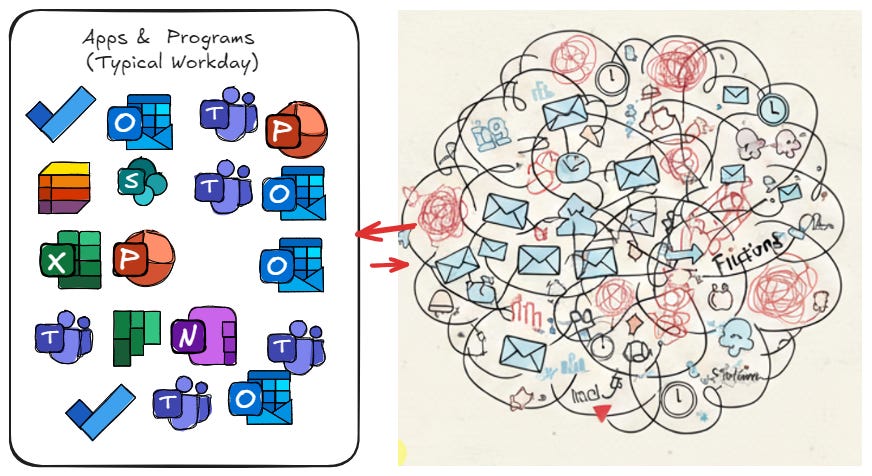
Let’s be honest: this image is a typical week for most people whose job happens on a laptop. Emails. Meetings. Spreadsheets. Logins. Status updates. Repeated follow-ups.
How can AI help us right now, using what we already have access to today, within the confines of organizational security protocols?
In this post, “AI” refers to your institution’s officially sanctioned tool (ChatGPT, Gemini, Claude, etc.).
Here is the core problem.
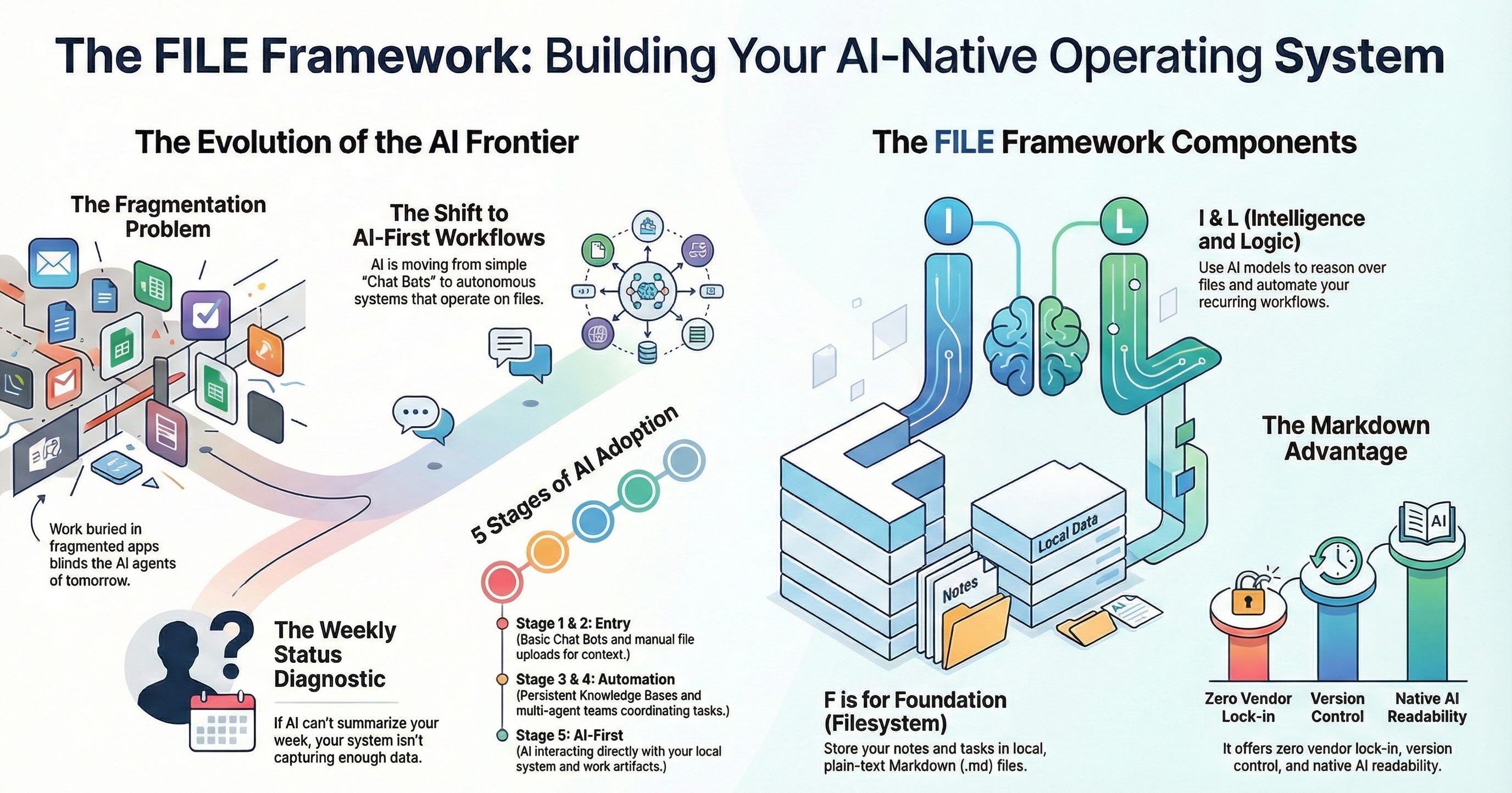
Most knowledge work is fragmented across too many tools that do not talk to each other. The work you need is buried behind logins, dashboards, and scattered files.
AI is not failing because it is weak.
AI feels weak because it cannot see your work.
The FILE Framework
To build an AI-ready productivity system, we use the FILE framework. It is a personal layer that complements official systems of record, not a replacement for them.
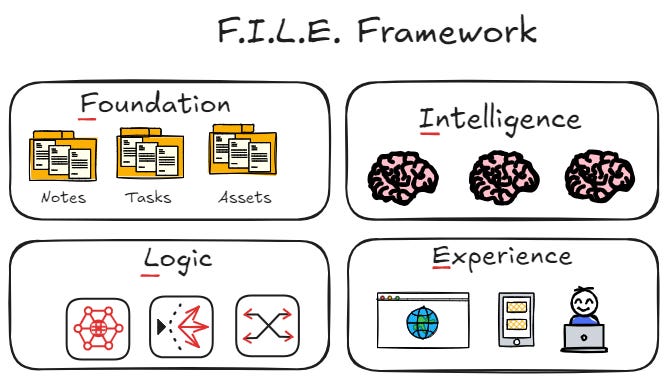
F: Foundation (The Filesystem)
Your work lives in folders of plain-text Markdown (.md) files for notes, tasks, and logs.
I: Intelligence (The Models)
LLMs reason over your foundation. Today it might be GPT-4o or Claude. Tomorrow it will be something else.
L: Logic (The Orchestration)
This is where automation lives. It turns daily logs into weekly updates, extracts tasks, and flags project risk.
E: Experience (The Interface)
This is how you interact with the system: Obsidian, VS Code, or any other editor. The interface is interchangeable.
Why Markdown Works
Markdown is a practical interoperability layer, it is a simple text based file format, much the same as a .txt file but with well defined formatting standards for things such as headings, tables, links etc.
https://www.markdownguide.org/getting-started/
It is readable for humans, easy for machines to parse, and stable over time.
It also avoids a core problem with most productivity systems: your work becomes trapped inside proprietary databases.
A Concrete Example: The Weekly Status Report
Instead of manually maintaining a project dashboard, keep one Markdown project file that includes:
Scope
Tasks
Decisions
A running log of updates
At the end of the week, upload that file to an AI and ask:
What changed this week?
What are the top 3 risks?
What tasks are blocked and why?
What decisions were made?
What should next week’s priorities be?
If the AI cannot answer, that is not a failure. It is a diagnostic.
The First Steps
Create one Microsoft Word file for your next project with headings for Scope, Tasks, Decisions, and Log.
Upload it to an AI and ask it to behave like a project manager.
Each time the AI cannot answer a question, update the file so the information exists next time.
Final Thought
Stop optimizing applications. Start optimizing for data.
Files first. Single self contained MS Word (or Markdown if you are feeling brave) file for each project, task, notes, scope etc..
AI on top.
“Talk” to your notes by dropping them in your authorized AI tool.
The winners will not have better prompts. They will have better data.
NOTE: This is a shorter version of my original text which can be found here, Listen to a summarized version here
I need you to show me how to do this, coach!