Managing Complex Analytics Workflows in GitHub Using a Live Microsoft Repository
A Practical Guide for Higher Ed Leaders Adopting Modern Work Management

TLDR; GitHub gives higher ed project teams a unified system to organize work, track decisions, and manage progress without drowning in email chains. Repositories centralize information, issues expose real work and accountability, projects provide real time oversight, and agile workflows match the messy, shifting reality of complex initiatives. This isn’t about coding. It’s about running projects with discipline.
Overview
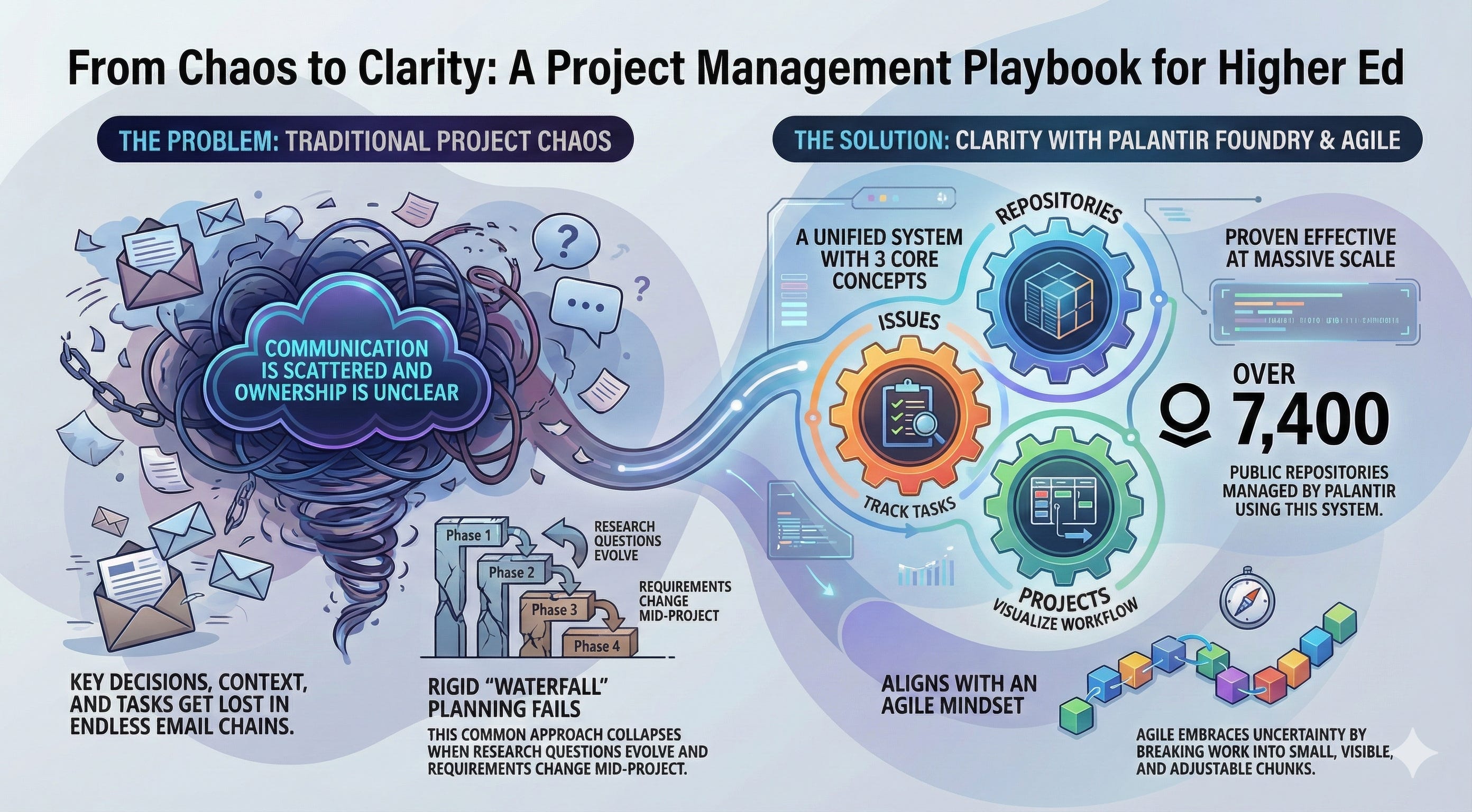
Higher ed work breaks down because communication is scattered, ownership is unclear, and decisions disappear into inboxes. GitHub fixes these problems by providing structure, transparency, and a single operational source of truth.
This walkthrough uses a public Microsoft repository to demonstrate how GitHub actually works. The focus is project management fundamentals: defining work, tracking progress, and coordinating teams through issues, comments, and project boards.
Microsoft at Scale: A Practical Example
Microsoft operates at massive scale: 7,400 public GitHub repositories, 4,500+ contributors, and thousands of active tasks.
We’ll examine PowerToys as a concrete example. The software itself doesn’t matter. The workflow does.
I personally use PowerToys dozens of times a day and have done for years. It gives Windows users a Mac like experience via a central command bar which has dozens of advanced features you can run directly in whatever application you are in.
Click here for a video introduction.
QuickStart: Core Concepts
You only need three concepts to understand GitHub as a project management system.
The Repository: The Workspace
One container for everything: plans, diagrams, notes, decisions, drafts, and deliverables. No version chaos. No “who has the latest.”
Issues: The Work
Tasks, questions, bugs, data pulls, decisions, and requests, captured as discrete issues. They force clarity on ownership and eliminate hidden work.
Projects: The Workflow
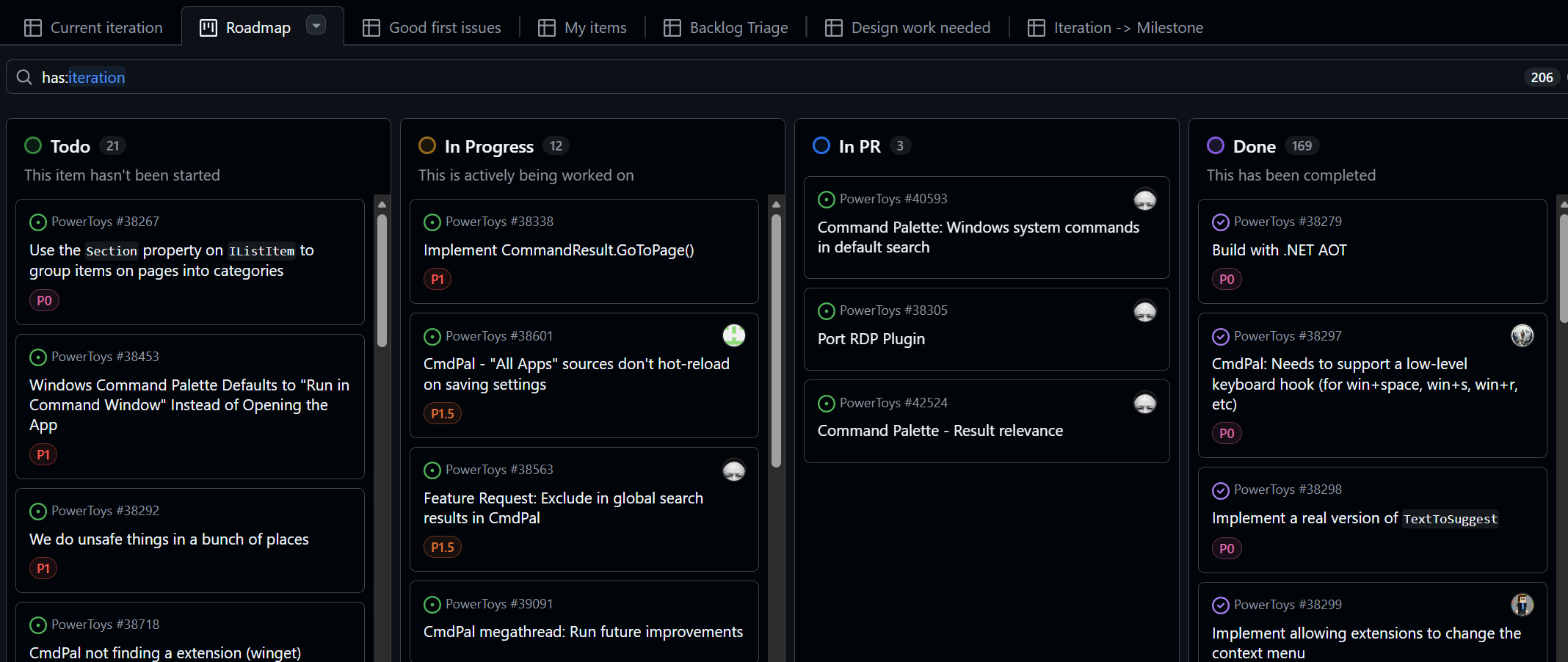
Kanban-style boards that show work moving across stages. This transforms GitHub from a document bucket into a real project management platform.
Microsoft’s 7,400 repositories mirror the kinds of parallel initiatives universities run but with far more discipline and visibility.
PowerToys snapshot:
• 586 contributors
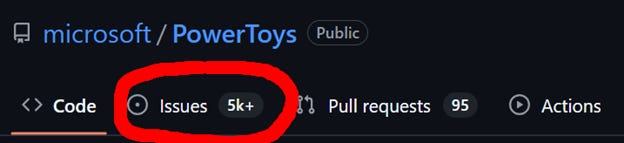
• 7,582 open issues
• 29,100 closed issues
This is project management at scale, not meetings, not email chains.
Issues in Detail
Issues prevent context loss. Every discussion, decision, blocker, and subtask stays within the issue, not buried in someone’s inbox.
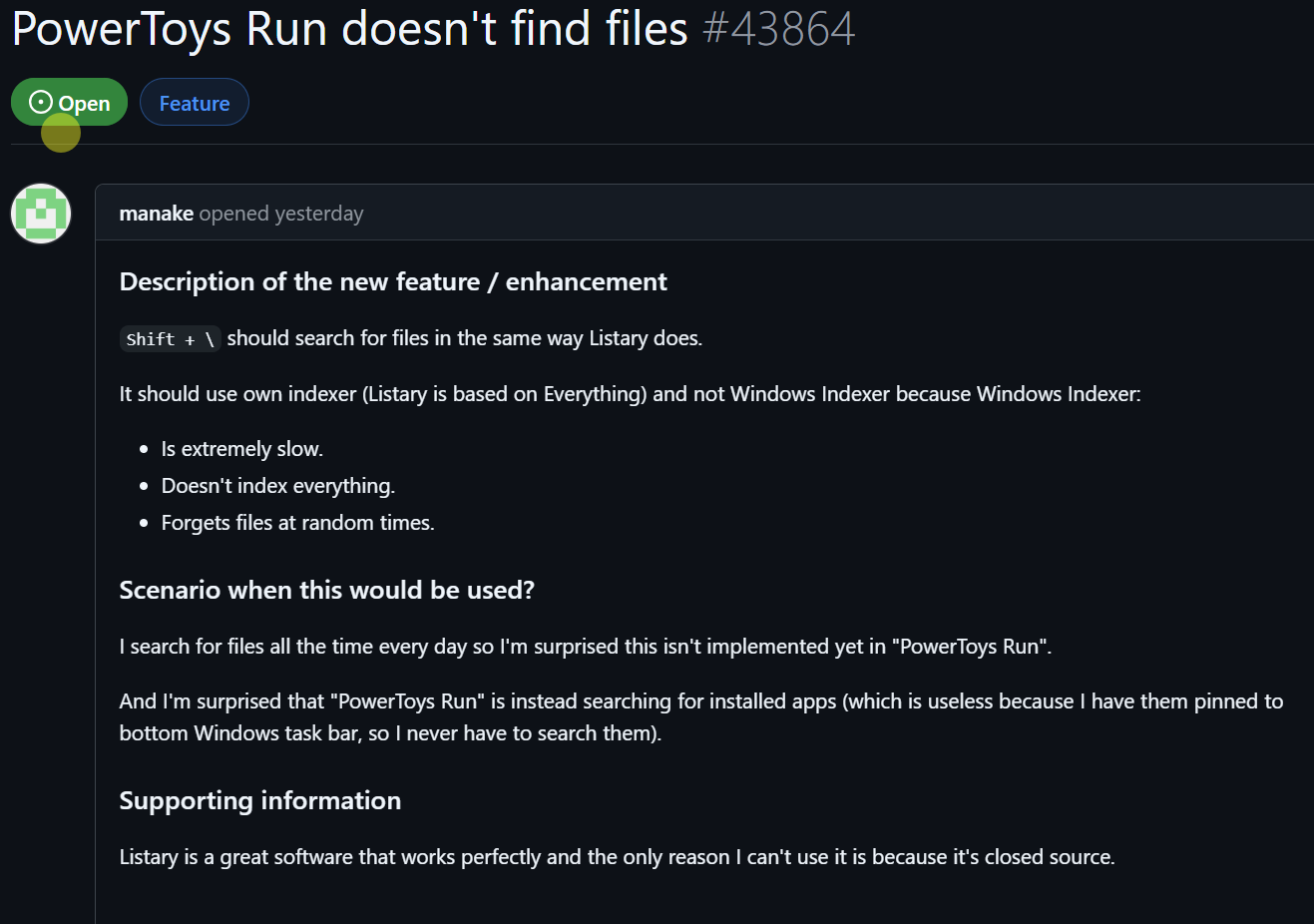
https://github.com/microsoft/PowerToys/issues/43864
Issue 43864 (“PowerToys Run doesn’t find files”) shows it clearly:
• Unique ID
• Full history
• Comments anchored to the work
• Clear status
• Traceability end to end
This is what higher ed has been missing.

Scroll to see the initial report, comments, sub-issues, links, and status changes.
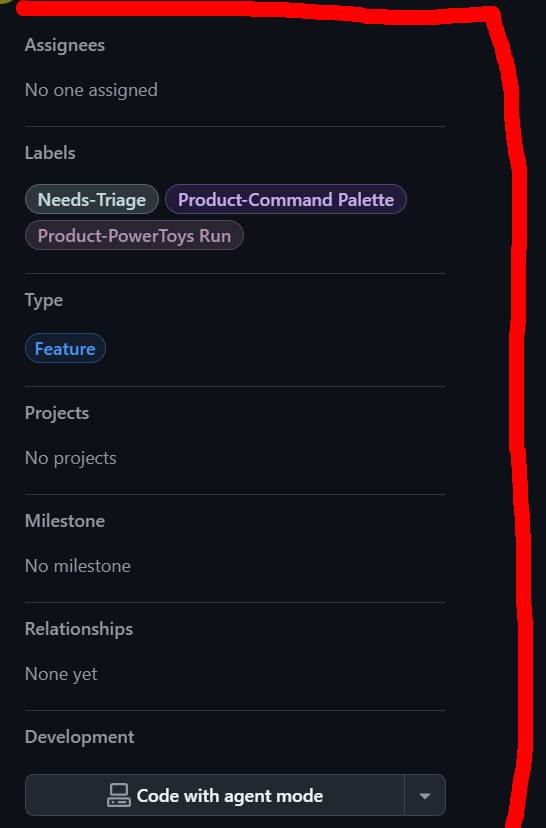
On the right panel you see attributes: labels, assignees, linked pull requests, and related projects.
Projects
Projects give you a way to view issues from one or multiple repositories in a structured format. This is crucial for leaders supervising multiple initiatives. It prevents drowning in thousands of issues while still surfacing the ones that matter.
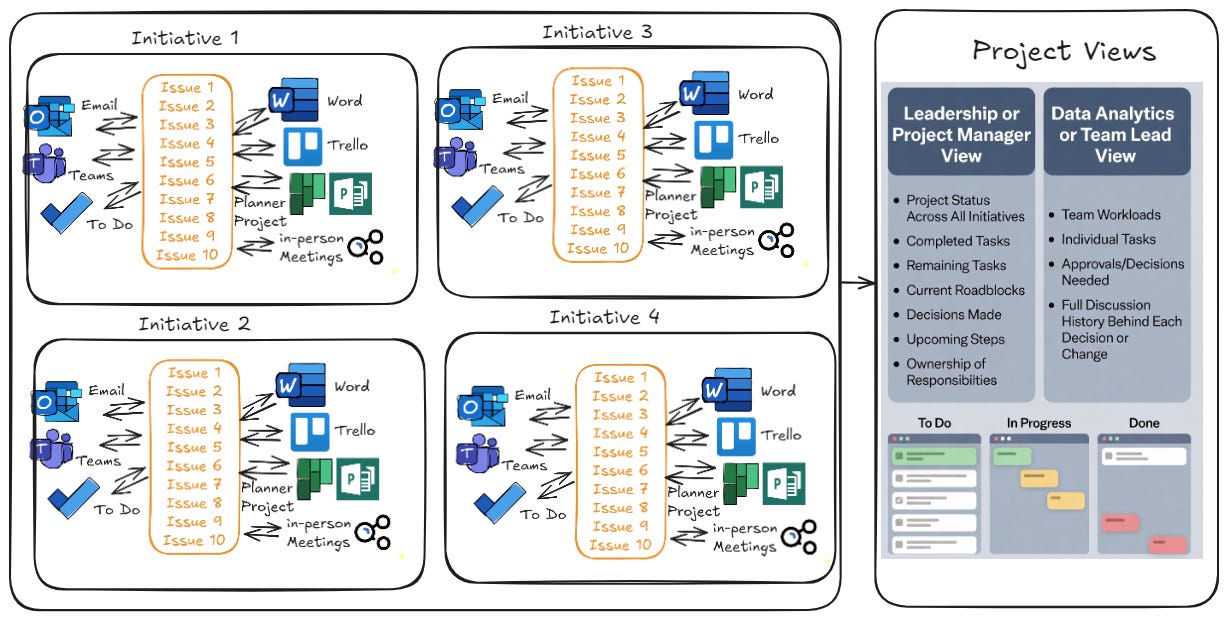
Leadership or Project Manager View: Project status across all relevant initiatives. What’s been completed, what remains, current roadblocks, decisions made, upcoming steps, and clear ownership of who is doing what.
Data Analytics or Team Lead View: What the team is working on, individual workload, where approvals or decisions are needed, and the full discussion history behind each decision or change. This makes reviews faster and exposes blockers early.
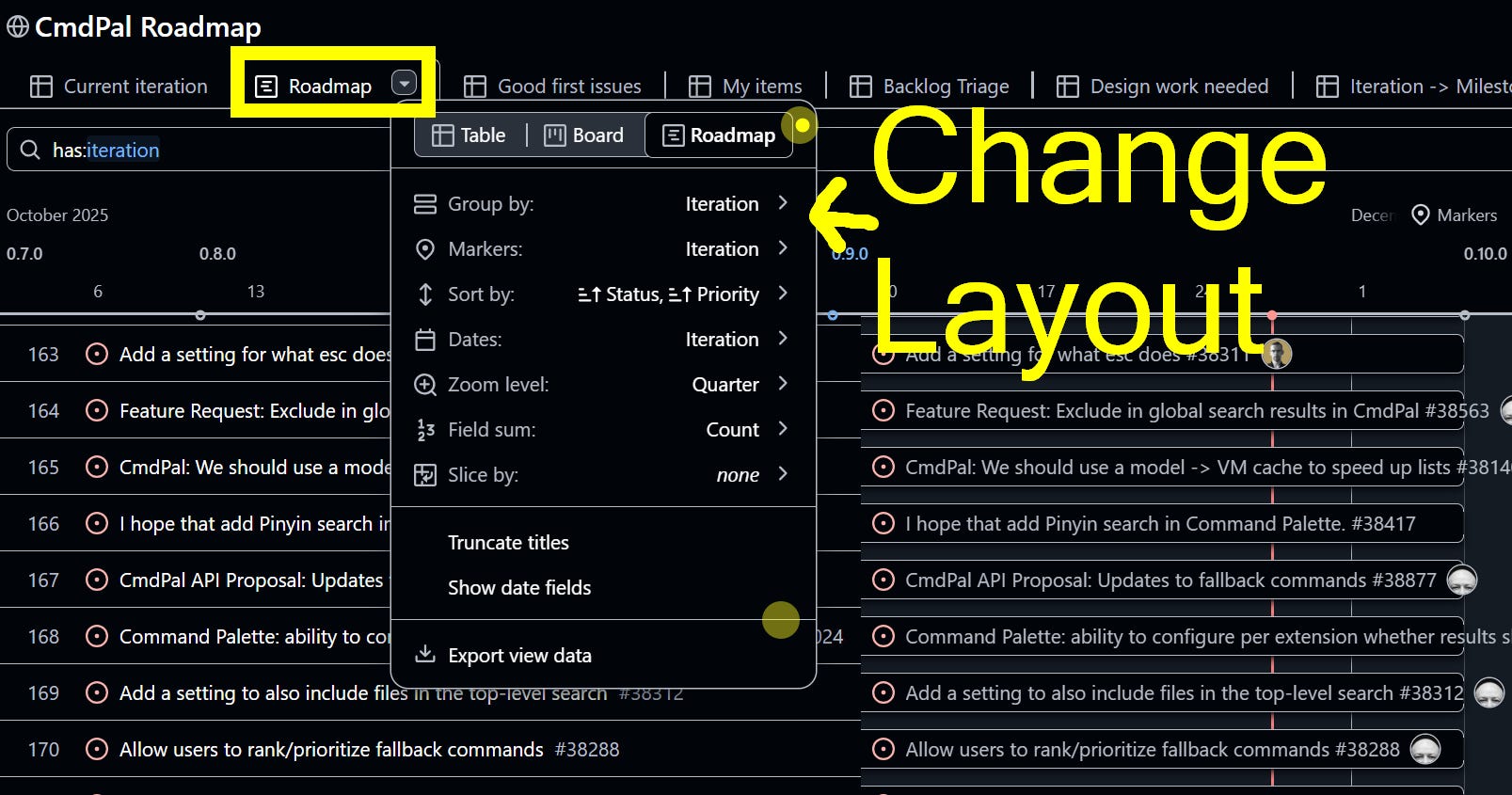
Open this example:
https://github.com/orgs/microsoft/projects/1711/
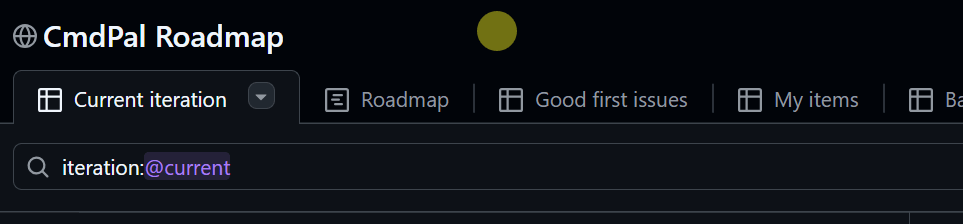
You cannot break anything. Explore the tabs and views.
Project Management
GitHub is powerful only when paired with the right project management mindset.
Higher ed defaults to waterfall: long planning cycles, committees, consensus documents, and kickoff ceremonies. It feels productive but collapses the moment reality changes.
Most analytics and cross-unit initiatives shift constantly.
Exploratory Analytics Requires Adaptive Workflow Strategies
When the destination shifts, the plan must too. Research questions evolve. Requirements change. Stakeholders refine expectations. Data realities surface mid-project. This is normal, not a sign of project failure.
Examples of Evolving Questions
• How will federal rate changes shape future research funding?
• How should institutions measure research output fairly?
• How does teaching load influence scholarly productivity?
• What happens when exploratory analysis reveals new questions?
Work changes because understanding changes.
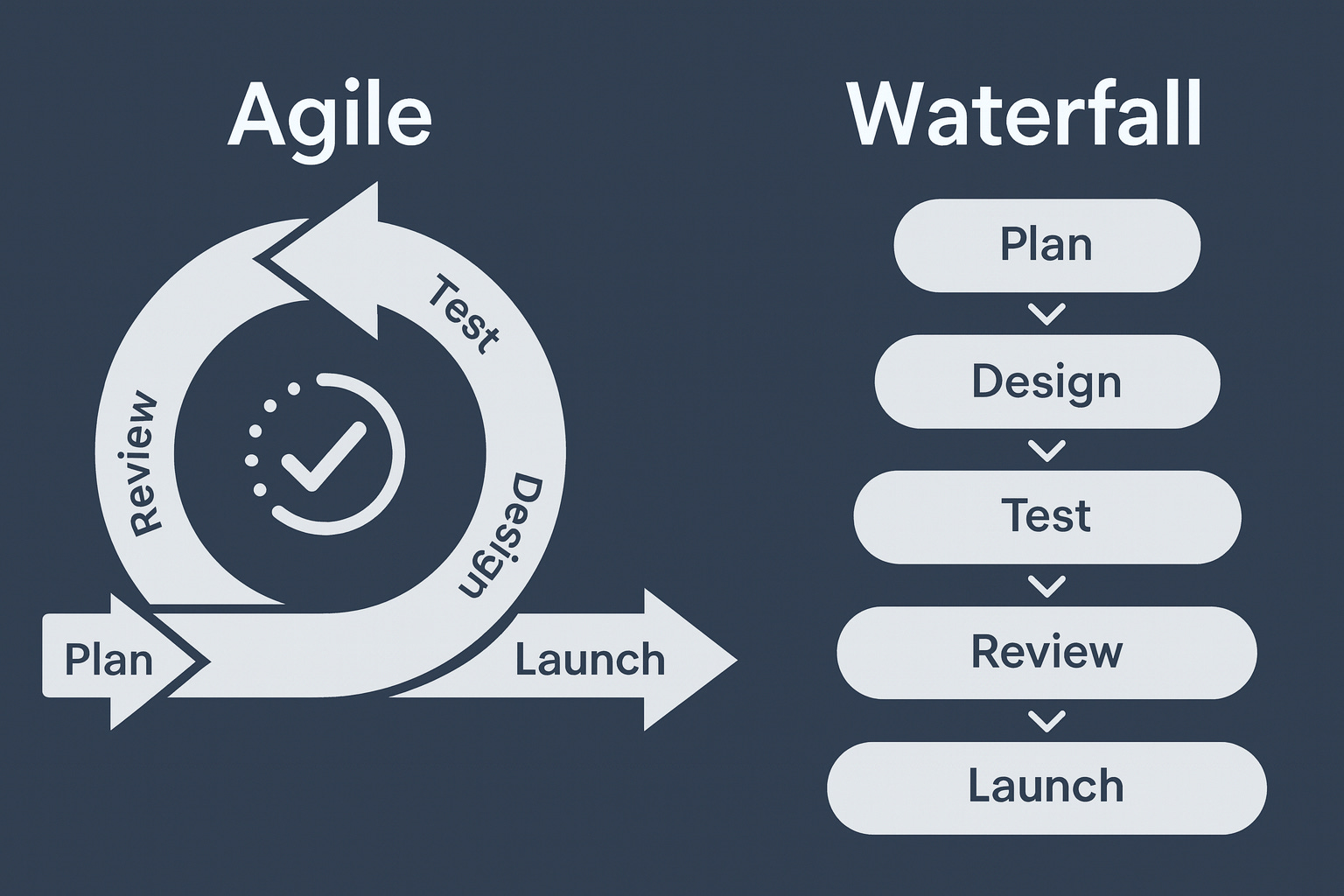
Why Waterfall Project Management Breaks Down
These shifts are normal. Requirements change. Stakeholders refine questions. Data realities emerge unexpectedly.
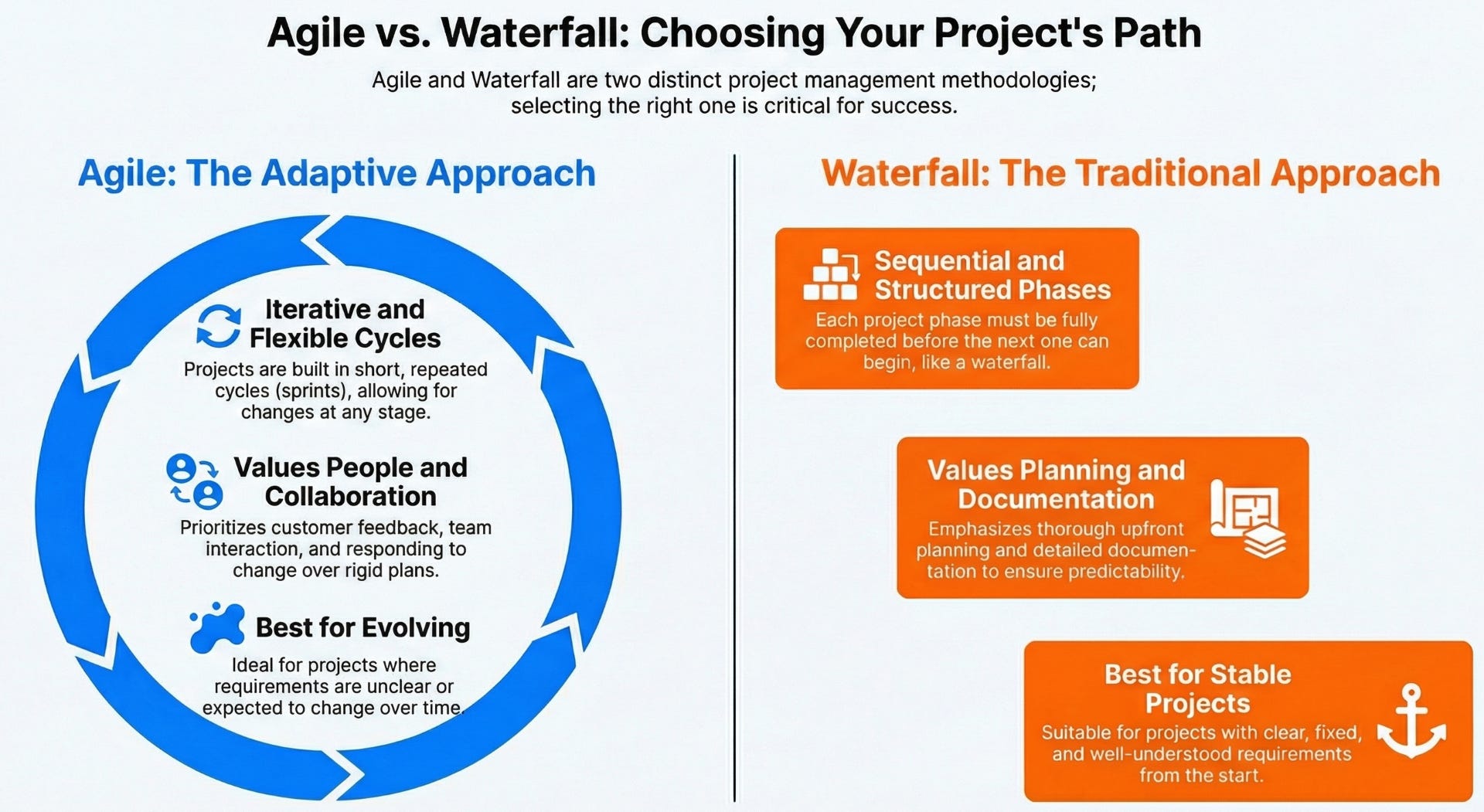
Waterfall assumes stability, fixed requirements, and clarity upfront. It collapses when the environment changes.
Why Agile Fits Analytics Work
Agile embraces uncertainty. It breaks work into small increments, introduces continuous feedback, and adjusts direction as understanding deepens.
GitHub aligns naturally with agile principles. Issues are increments. Projects visualize flow. Leaders get clarity, momentum, and real time visibility instead of ceremonial updates.
Agile Project Management
Agile replaces months of planning with rapid cycles of working, reviewing, and adjusting.
In an agile model:
• Work is broken into small, manageable chunks.
• Priorities shift as new information emerges.
• Frequent review and correction.
• Early work is visible to stakeholders instead of hidden until the end.
This matches the evolving nature of higher ed analytics and cross-unit project work.
Conclusion
GitHub delivers the project management discipline higher ed has never had: transparent workflows, accountable task tracking, shared context, and real time visibility. It ends email-driven chaos and replaces it with a system built for complex, evolving work.
Next we will explore version control, security, organizations, and connecting GitHub to your local machine.